Monday, September 28, 2009
Blog Expansion
Also, in a effort to get organized in a more global manner, i'll be giving updates on my experience using the GTD method. What is the GTD Method? READ ABOUT HERE
Sunday, August 9, 2009
Acdsee Pro 3 (Beta)
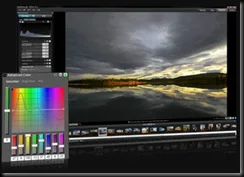
Acdsee Pro 3 Beta has been released. Anyone can download the beta and give it a test run.
Some definite interface improvements. I’ve just started testing it. If you’re interesting in trying out one of the top image managers out there, give it a shot and share your thoughts on Acdsee’s forums! They’re a good bunch of people over there.
Wednesday, August 5, 2009
Share Your Photos More Deeply
I’m a bit of a panorama photo lover, but the problem with panoramas is sharing those photos with others. Small prints lose details, same as small email attachments, and many free photo sharing sites aren’t geared for panoramics. Well along comes Deep Zoom Technology from Microsoft, to the rescue!
Microsoft recently released Deep Zoom Composer. A desktop application, allowing users to create deep-zoom application that can be uploaded for website viewing. I had a chance to play with Composer, it’s interface is minimal and it’s mostly drag & drop interface allows you to build a deep zoom app pretty quickly.
Check out a shining example of Deep-Zoom being used by the HARD ROCK CAFE.
So let’s say, you like Deep-Zoom, but you don’t have your own website. What can you do? Check out www.deepzoompix.com , with a Windows Live ID, you can upload your high resolution photos or panoramas and share them with the world. All the Deep-zoom work is done on the server. This is really just a technology showcase and the site says they’ll close the service at the end of 2009. So that gives you a few months to share your hi-res photos… For those interested, I’ve uploaded my own panoramas and misc photos. CHECK IT OUT!
Remember, you need the latest Silverlight installed to view these cool pix!
Tuesday, August 4, 2009
Free Panoramic Software – ICE
I’ll keep this post short & sweet. Microsoft has released a nice FREE piece of software for photographic users. Microsoft ICE. MS ICE is short for “Image Composite Editor”, a fancy term for photostitching software. What’s nice about this, aside from it being free, is that it offers some interesting outputs for your images. Including, the fun, Deep-Zoom. Deep-Zoom, is something similar to Zoomify, but using Microsoft’s Silverlight technology. (oh, there’s the catch!) Yes, the freebie has a catch, if you want to use some of the “cooler” features of MS ICE, you’ll be using MS technology to showcase that. You also have the option to export your panorama as an HD-View Image. Again, another Microsoft technology. I find it odd that MS is using 2 different technologies that in the end do something similar. You’ll just have to try out the technologies to see what you prefer.
Monday, August 3, 2009
AutoCAD Color Tricks for B/W prints
METHOD 1... DWF
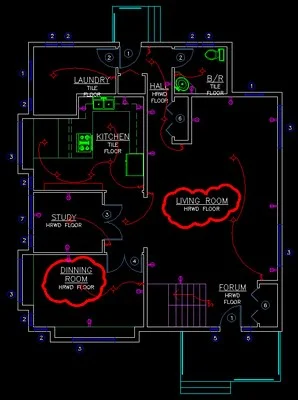
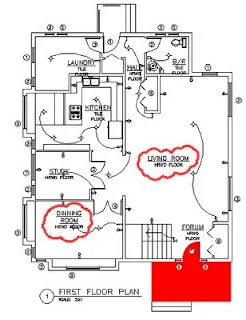
Here is a sample drawing printed using the monochrome CTB file.. My sample output file could be PDF, or DWF, or a hard copy print sent to a color printer.
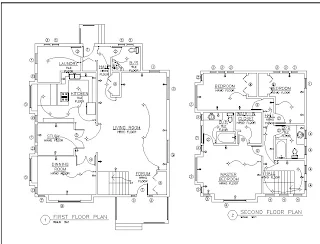
I've decided to have a couple lines in color.. i dont want to modify the CTB file for printing. I'll add a couple rev clouds, but it could be any linework you want to stand out. Markup info, etc.
So i threw on a couple rev clouds on a seperate layer and then isolated the layer...
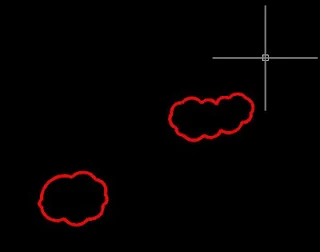
Plot it to DWF making sure you do NOT use a CTB style to print it.
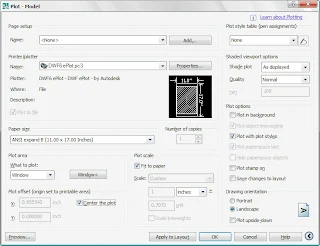
now attach the DWF back into the drawing.
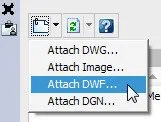
Doesn't look any different except for showing the frame of the DWF.
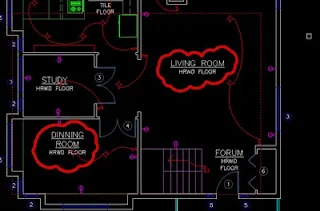

now print or publish normaly. You'll see my new print has everything set to black using the monochrome CTB.
This method is good for hatches and doesn't require plotting and attaching a DWF file. I've decided to add a red solid hatch at the bottom of the drawing.
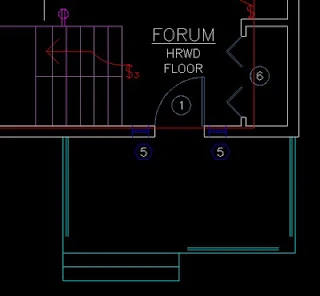
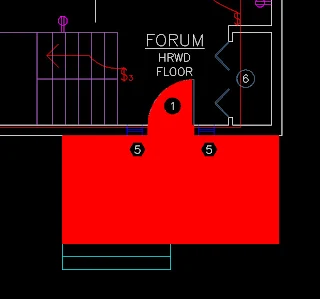
You can see the result if I just use a standard autocad layer and plot using the monochrome CTB file.
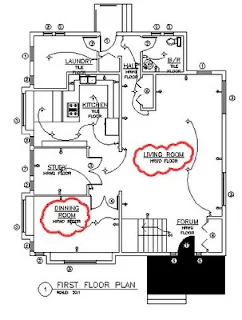
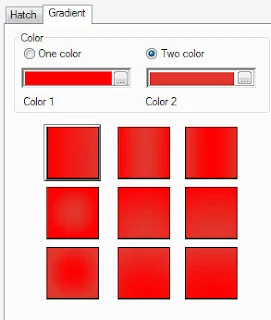
What i'll do now, is edit the hatch and use a gradient instead.
Open the hatch editor, and select gradient, 2 color mode... when picking the colors, you can either use the true color settings or even pick the same autocad index color to give it a solid color.

save the changes and go plot to your monochrome CTB file. The result? Color output using the monochrome CTB, without need for adjusting pens, etc.
Tuesday, March 31, 2009
Viewing Photos In a different way
What is PhotoSynth? Well, think of it as a way to dynamically link photos based on metatags. All of the photos can be viewed in a virtual 3d space to see how the different photos relate to each other. Pretty impressive stuff... Impressive enough to be used in a few CSI episodes!
The video shows the initial program called seadragon, but the seadragon technology is now part of MS Photosynth..
Friday, March 13, 2009
DosLib 8.0
dos_imagelist -Returns a list to all raster images in the active document.
dos_olelist - Returns a list to all linked OLE objects in the active document.
dos_plinewinding - Determines whether a closed polyline winds clockwise or counterclockwise.
dos_proxyclean - Removes all of the of proxy objects from the current drawing.
dos_proxycount - Returns the number of proxy objects in the current drawing.
dos_purgexdata - Removes all extended entity data (xdata) that is attached to an entity regardless of the APPNAME.
DOSLIB DOWNLOAD