A little photo goodie for you all... As of Dec 2009, the largest digital photo in the world is available to view online...
http://www.dresden-26-gigapixels.com/dresden26GP




Why Submitting CER Reports Matters
1 year ago

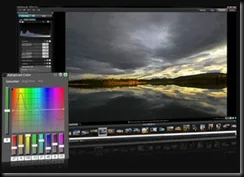
Acdsee Pro 3 Beta has been released. Anyone can download the beta and give it a test run.
Some definite interface improvements. I’ve just started testing it. If you’re interesting in trying out one of the top image managers out there, give it a shot and share your thoughts on Acdsee’s forums! They’re a good bunch of people over there.
I’m a bit of a panorama photo lover, but the problem with panoramas is sharing those photos with others. Small prints lose details, same as small email attachments, and many free photo sharing sites aren’t geared for panoramics. Well along comes Deep Zoom Technology from Microsoft, to the rescue!
Microsoft recently released Deep Zoom Composer. A desktop application, allowing users to create deep-zoom application that can be uploaded for website viewing. I had a chance to play with Composer, it’s interface is minimal and it’s mostly drag & drop interface allows you to build a deep zoom app pretty quickly.
Check out a shining example of Deep-Zoom being used by the HARD ROCK CAFE.
So let’s say, you like Deep-Zoom, but you don’t have your own website. What can you do? Check out www.deepzoompix.com , with a Windows Live ID, you can upload your high resolution photos or panoramas and share them with the world. All the Deep-zoom work is done on the server. This is really just a technology showcase and the site says they’ll close the service at the end of 2009. So that gives you a few months to share your hi-res photos… For those interested, I’ve uploaded my own panoramas and misc photos. CHECK IT OUT!

Remember, you need the latest Silverlight installed to view these cool pix!
I’ll keep this post short & sweet. Microsoft has released a nice FREE piece of software for photographic users. Microsoft ICE. MS ICE is short for “Image Composite Editor”, a fancy term for photostitching software. What’s nice about this, aside from it being free, is that it offers some interesting outputs for your images. Including, the fun, Deep-Zoom. Deep-Zoom, is something similar to Zoomify, but using Microsoft’s Silverlight technology. (oh, there’s the catch!) Yes, the freebie has a catch, if you want to use some of the “cooler” features of MS ICE, you’ll be using MS technology to showcase that. You also have the option to export your panorama as an HD-View Image. Again, another Microsoft technology. I find it odd that MS is using 2 different technologies that in the end do something similar. You’ll just have to try out the technologies to see what you prefer.


Well, I've come across something that I thought I'd share with other Canon Powershot owners. There's a firmware project called CHDK
CHDK is a firmware enhancement that operates on a number of Canon Cameras. CHDK gets loaded into your camera's memory upon bootup (either manually or automatically). It provides additional functionality beyond that currently provided by the native camera firmware.
CHDK is not a permanent firmware upgrade: you decide how it is loaded (manually or automatically) and you can always easily remove it. The benefits are pretty substantial. Enhancements include:
a. Enhanced ways of recording images - you can capture still pictures in RAW format (as well as JPEG), and for video images you can have increased recording time and length (1 hour or 2 GB)
b. Additional data displays on the LCD screen - histogram, battery life indicator, depth of field, and many more.
c. Additional photographic settings that are not available on the camera by itself
There's more features available but check out the site to see if your specific Powershot Camera is supported. Mine is! :-)
NOTE: The CHDK site can be confusing to go through. So I've assembled here some links to help get new users started. These are the bare essentials. I strongly suggest reading the FAQ thoroughly:
CHDK FIRMWARE DOWNLOAD (AllBest version)
INSTALL INSTRUCTIONS (VIDEO)
INSTALL FOR S2 IS (linux reference, but it's the same for windows)


